
Cancel license assignment
If you want to assign a license to another system or customer, you must remove the link to the system or customer in the license management in your customer account in the AGIQON Connector Shop https://agiqon-connector.de/en/account/license).
To do this, click on the 'Manage this license" for the corresponding license. Then click on the 'Remote' button under 'identifier'.
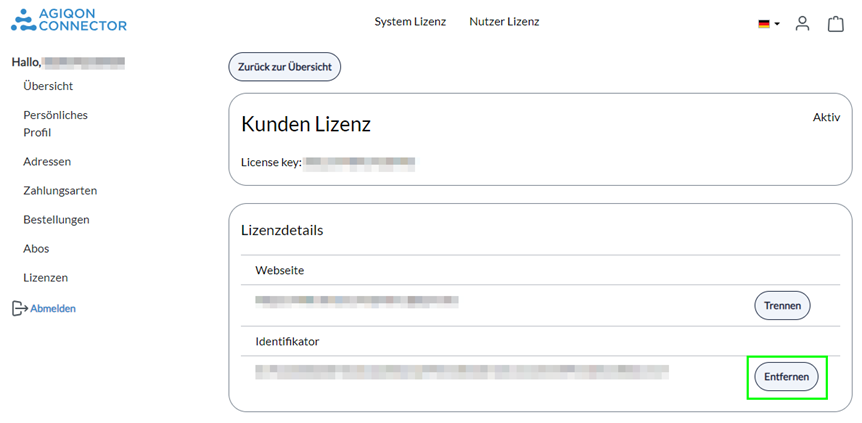
This assignment is then empty and the previous assignment is removed from our system. This means you can now assign this license to another customer or system.
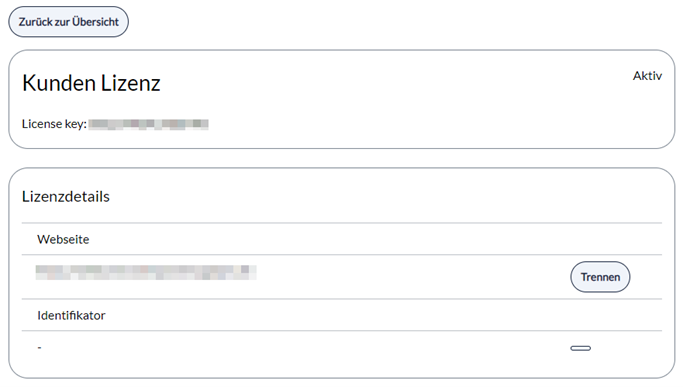
You can also delete the license key from the corresponding field in your system or cancel the customer assignment.